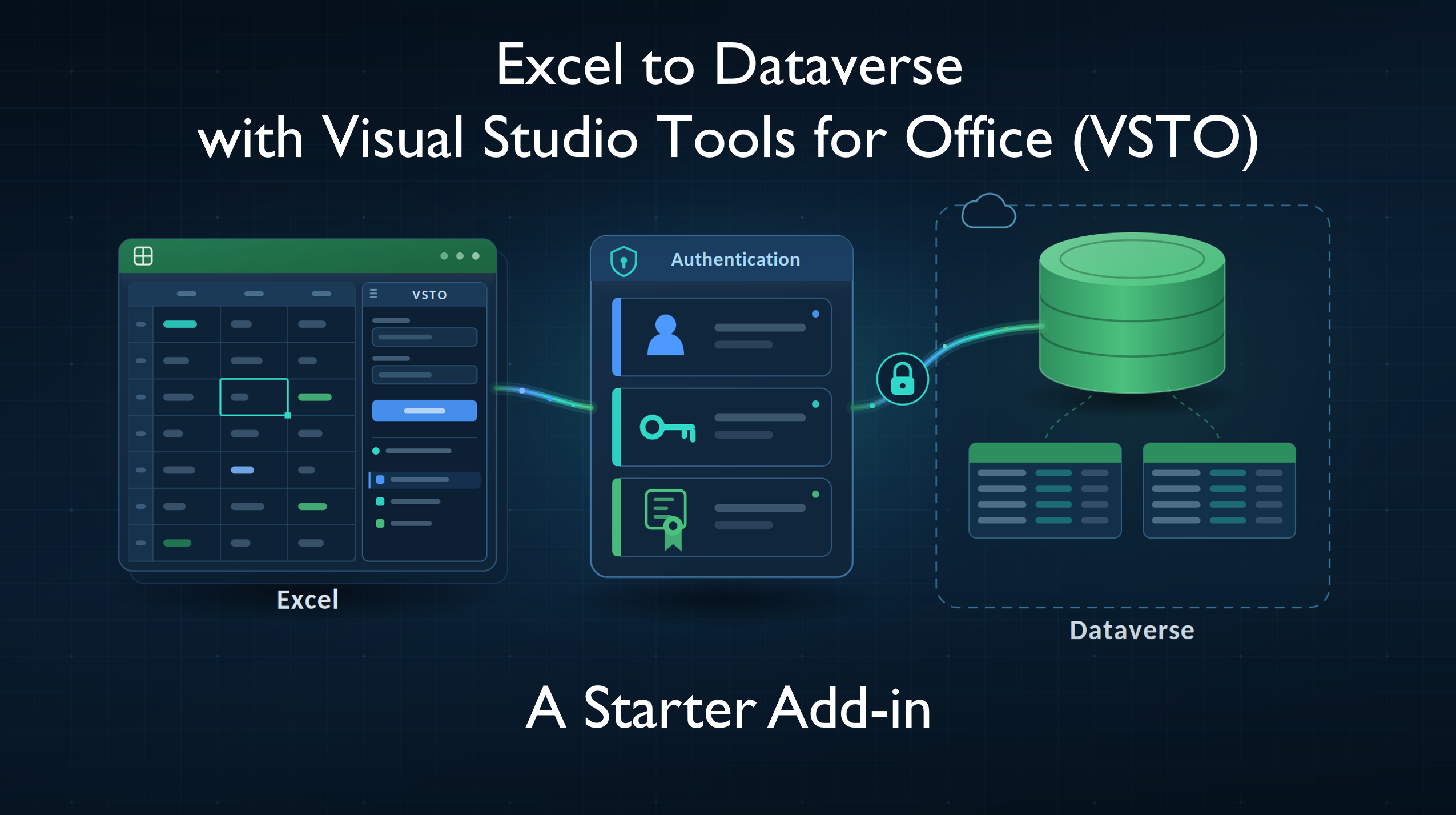
If you need boilerplate for an Excel VSTO add-in that connects to Microsoft Dataverse and already has an authentication manager built in, start here: rwilson504/dataverse-excel-vsto-starter. I would make a spreadsheet joke, but I do not want to cell it too hard.
It is a working Excel VSTO add-in, which means your code runs in-process as ordinary C# with the Dataverse SDK directly in hand. That gives you control over the things that decide whether a load behaves well: bulk messages, batch size, degree of parallelism, affinity cookies, and the .NET connection settings Microsoft’s throughput guidance calls for.
It also ships a connection manager with saved connections, DPAPI-protected secrets, environment discovery, and three sign-in methods: interactive, client secret, and certificate. The cloud and authentication details are still important, especially across commercial and US government environments, but they are not the whole story.
This post is the reasoning behind the starter: why it is VSTO, why authentication is pluggable, how to get it running, and which assumptions I had to retract along the way.
Bottom line
- Your code, in C#, next to the SDK. Batch strategy, batch size, degree of parallelism, affinity cookie, and the
ServicePointManagersettings are all yours to set. - Three sign-in methods ship today: interactive, client secret, and certificate. Adding a fourth is an implementation plus a registry entry, with no existing consumer changes and no UI work.
- Five clouds are modelled, and the identity split is the part people get wrong: GCC authenticates against public Entra ID. Only GCC High and DoD use Entra Government.
- It carries its own reasoning:
AGENTS.mdand six dated decision records, so a coding agent you point at the fork knows what was already tried and rejected. - It is VSTO, which needs justifying in 2026. The honest answer is hosting and sign-in complexity, not throughput.
Written to be read by an agent
Most of the time on this project went into things that are invisible in the finished source, so the repo carries them deliberately:
AGENTS.md: orientation, build commands, conventions, and a list of traps that have already cost time. Mirrored as.github/copilot-instructions.mdso Copilot picks it up automatically.decisions/: six dated records covering what was chosen, what was rejected, and what changed later. Two of them document reversals.docs/: architecture, authentication, VSTO setup, and ingestion.
That matters more than it sounds if you fork this and point a coding agent at it, because an agent reading only the source is confident and frequently wrong about a codebase like this one.
It will run dotnet build on the solution, which fails on the VSTO project and leaves NuGet artifacts behind that break the next Visual Studio build. It will offer to collapse the token-source abstraction back into a switch. It will look at a form that avoids checking Control.Visible and tidy it up, not knowing that Visible is false whenever a control is off screen, including after ShowDialog returns, which is exactly when the caller reads the result. That one would have shipped every client-secret connection with null fields.
None of that is inferable from the code. All of it is written down.
The decision records are the part I would keep if I had to discard the rest. “Why is this not X?” is the question that costs the most time on an unfamiliar codebase, and it is precisely the one that cannot be answered by reading the code, by a person or an agent.
Using the starter
Fork it, or lift the pieces you want.
Try it without Office
The libraries and tests build with the plain .NET SDK, and a WinForms harness exercises the connection UI with no Excel involved:
git clone https://github.com/rwilson504/dataverse-excel-vsto-starter.git
cd dataverse-excel-vsto-starter
pwsh tools/build-and-test.ps1
That builds everything the .NET SDK can build, runs the offline test suite, and checks the connection dialog off-screen. No credentials and no network needed.
Do not run
dotnet buildon the solution. The .NET CLI has no OfficeTools targets, so it fails on the VSTO project and leaves NuGet artifacts behind that break the next Visual Studio build. The script exists so you never have to remember that.
Build the Excel add-in
This is the part with machine-level prerequisites:
- Visual Studio with the Office/SharePoint development workload. VS 2022 is fine on x64. On Windows on ARM the workload only installs in the emulated VS 2019.
- A code-signing key, which is not in the repo. Generate your own. The script creates an RSA 2048 / SHA-256 certificate, puts it where the project expects, and patches the project’s thumbprint locally:
powershell.exe -NoProfile -ExecutionPolicy Bypass -File tools\new-signing-key.ps1That .csproj edit is local to you; do not commit it. The thumbprint cannot simply be deleted instead, because VSTO’s ManageCertificateStore task requires one.
Connect to a real environment
For interactive sign-in you do not need to register anything to get started. Microsoft publishes a sample public client ID that much community tooling uses, it exists in both directories as above, and the starter ships configured with it. Point it at an environment and sign in. Register your own before you ship anything, because Microsoft’s guidance is explicit that the samples are preconfigured for convenience and that published apps must use their own values.
For a client secret or certificate you do need your own registration, because a confidential client authenticates as itself; there is nothing to borrow. That registration also needs a matching application user with a security role in the target environment. This is the step people forget, and it fails at connect time with an error that does not obviously point at it. That is why the starter has a Test connection button that calls WhoAmI rather than just checking that a token came back.
The repo’s authentication doc covers registration per cloud, the endpoint table, and a trick worth knowing: probing an environment with no credentials at all to learn its authority, tenant ID, and exact token audience from an unauthenticated WhoAmI response.
If a connection fails, the add-in writes a log file under your roaming profile and surfaces warnings in the task pane. That exists because diagnosing an Office add-in without one means a rebuild-and-relaunch cycle for every guess.
Why VSTO?
Office Web Add-ins are Microsoft’s current platform. VSTO is the older one, described in the docs as running “only in Office on Windows.” For a new Office project the web add-in is usually the right default, so choosing otherwise needs a real argument. These are the decision points that made VSTO reasonable here.
Throughput was not the deciding factor. I did not start with VSTO. The plan was a web add-in, and then a web add-in with a C# backend behind it, on the reasoning that Dataverse throttles per web server and a browser cannot spread its requests across them. It was a tidy argument, but it collapsed the moment I asked what the actual volume was: 20,000 rows, worst case. At 200 records per CreateMultiple request, that is about 100 requests, well below the Dataverse five-minute service protection budget. I had spent the design on a ceiling this workload never approaches.
Hosting mattered more than scale. A web add-in’s markup has to be served from an HTTPS host, because the manifest’s SourceLocation “must be an HTTPS address, not a file path.” There is always something to stand up and run, even for a task pane with no backend. For an internal utility that may start as a forked repo and a local build, that hosting requirement is not free. VSTO avoids it.
Sign-in made the web add-in heavier. A web add-in cannot simply redirect the task pane to sign in, because identity providers refuse to render their login page in an iframe. It needs the Office Dialog API plus separate login and logout pages served from the same HTTPS host. VSTO can open an interactive desktop sign-in flow without that extra web surface, which is the main reason it stayed in the running.
Multiple sign-in methods would have made the web add-in heavier. Interactive sign-in covers a person at a keyboard, but the starter also needed room for client-secret and certificate connections. In a web add-in, those paths would have meant more hosted pages, more dialog plumbing, and more places for the UI and authentication code to drift apart. VSTO kept that work inside the desktop add-in and made it easier to drive the connection UI from one authentication model.
The other path, if you want it
If you would rather build the web add-in, Tae Rim Han has already written it up properly in Let’s Bring Dataverse to Excel Using Office Add-ins: a React and TypeScript task pane calling the Dataverse Web API directly, with no backend. It is the best walkthrough of this approach I have found, and worth reading before taking my word for anything here.
What it cost, and what would reverse it
Being honest about this matters, because these are the reasons most projects should choose the other way:
- Windows-only. No Excel on Mac, iPad, or the web. Irreversible without rewriting the host layer.
- No central deployment. Per-machine install and a code-signing certificate, not a push from the Microsoft 365 admin centre.
- The older platform. Not deprecated for Excel, but COM/VSTO is already unsupported in the new Outlook on Windows.
- Ongoing friction. The cost I under-weighted. The Office/SharePoint workload, which on Windows on ARM only installs in an emulated VS 2019, a signing certificate, a build script whose job is partly to keep the .NET CLI away from the VSTO project, and per-machine registration. A web add-in has none of it.
| Trigger | Why it flips |
|---|---|
| Volumes grow ~10x | The per-server ceiling starts to bind, and the affinity-cookie advantage becomes real |
| Excel on Mac, iPad, or web becomes a requirement | VSTO cannot serve it at all |
| Unattended or scheduled loads are needed | No interactive user means no desktop host |
| Central deployment becomes a hard requirement | Per-machine installs stop scaling organisationally |
| Microsoft signals deprecation for Excel specifically | The direction of travel becomes a date |
Would I choose the same again? For this project, yes, but on hosting and sign-in alone, and less confidently than when I started. In a tenant with approved static hosting, I would build the web add-in.
Wrap-up
The code is the least interesting part of this project. The useful part is the reasoning, kept as dated decision records, including what was rejected and what changed later. One of them now carries an amendment listing three arguments that research knocked down, which is exactly why those records are worth keeping.
If you are weighing the same choices, start with the shape of the add-in you actually need: who signs in, where it runs, how it gets deployed, and what volume it really has to handle. For this starter, those answers made VSTO reasonable, but not because VSTO is the modern default. It was reasonable because the hosting and sign-in tradeoffs mattered more than the cross-platform ones, and because the throughput argument disappeared once the row count was real.
The broader lesson is simpler than the implementation: make authentication a plug-in point, make cloud endpoints explicit, and get the number before you spend the architecture on a ceiling you may never reach.
- Repo: rwilson504/dataverse-excel-vsto-starter
- Authenticate with OAuth
- Service protection API limits
- Let’s Bring Dataverse to Excel Using Office Add-ins by Tae Rim Han, the web add-in approach, done properly