While attempting to connect to a remote desktop though a Remote Desktop Gateway (RDG) the connection would ask for credentials but then just drop. After some searching I found the answer to the issue.
First open open the regedit utility.
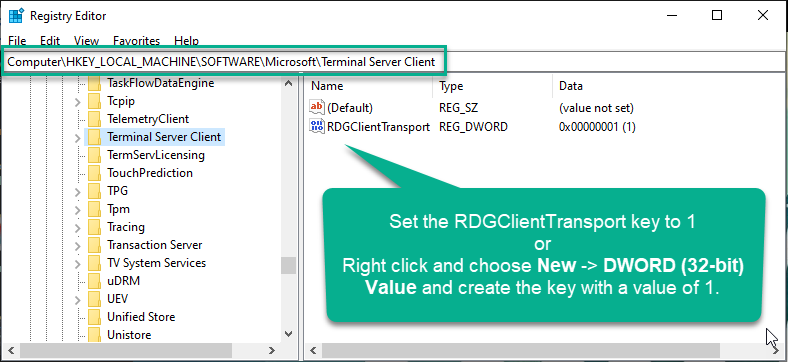
Navigate to HKEY_LOCAL_MACHINE\SOFTWARE\Microsoft\Terminal Server Client
If there is a DWORD key called RDGClientTransport set it’s value to 1.
If that key is not there right click and select **New -> DWORD (32-bit) Value” from the context menu. Set the name of the key to RDGClientTransport and it’s value to 1.