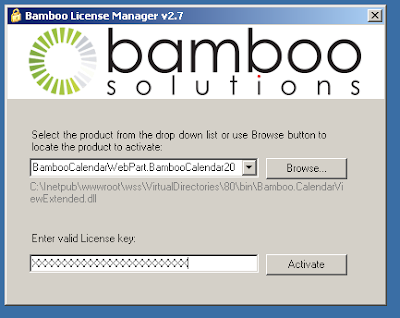
I recently downloaded the Bamboo Calendar Plus Web Part v2.5. I ran the setup file and installed both the Calendar Plus Web Part and the Bamboo License Manager v2.7. Here are the issues I ran into:
Firstly, you will need to be connected to the internet to get the registration program to correctly activate the web part. Otherwise you will have to activate by e-mail or phone.
Secondly, the Calendar web part .dll is not located in the GAC so I had to go out and search for it. The .dll was located in
Then after selecting the .ddl file in the License Manager I entered the product code. I accidently entered an incorrect product code. Then came the BLUE SCREEN OF DEATH from Windows Server 2003. I don’t know about you but that is scary.
After my server restarted I then ran the License Manger again… this time using the correct product code. I was then able to activate the .dll file located in the multiple web application I installed it in.