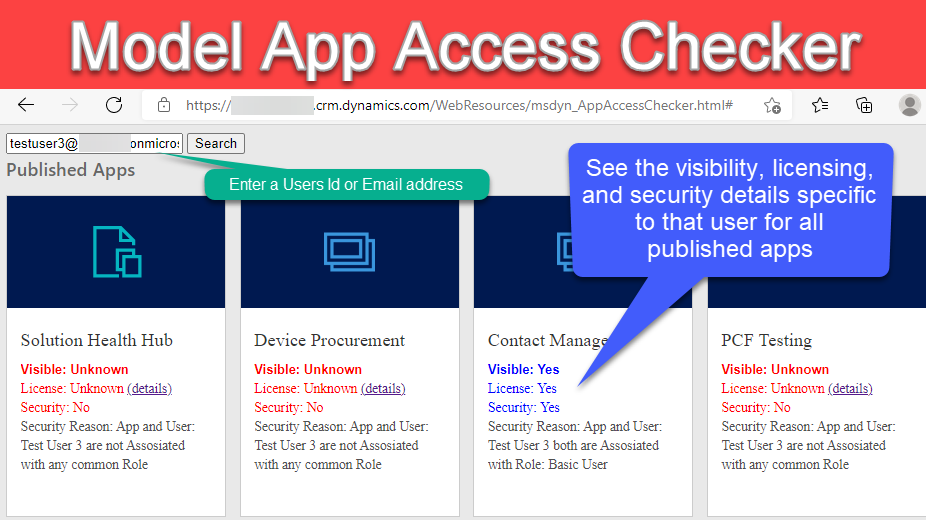
Want to know which model applications your users have access to in Dataverse? Check out the app access checker that is available within the Power Platform admin center. Enter a users Id or email address and see the list of published apps in your environment and all the access, license and security information specific to that user. This can be a very useful tool in troubleshooting why a user cannot see a specific app in your environment.
Below are the different ways you can access the app access checker.
Direct Url
You can access the app access checker directly using a url. Here is the format.
https://<Your Org>.crm.dynamics.com/WebResources/msdyn_AppAccessChecker.htmlPower Platform Admin Center
- Open the Power Platform admin center https://admin.powerplatform.microsoft.com/
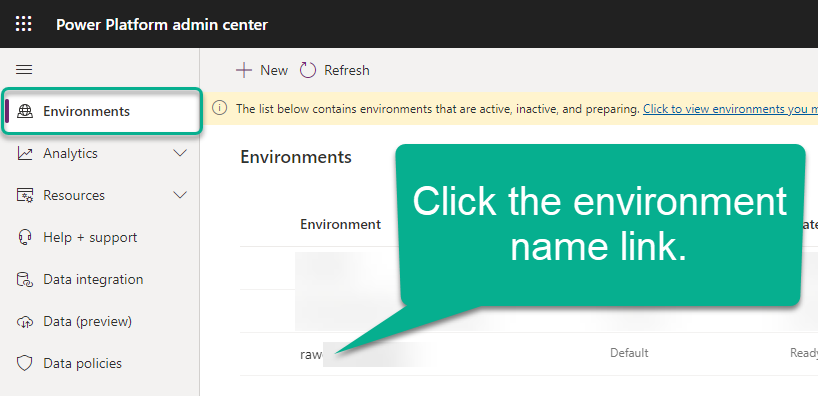
- On the Environments list click the link for the environment you would like to check.
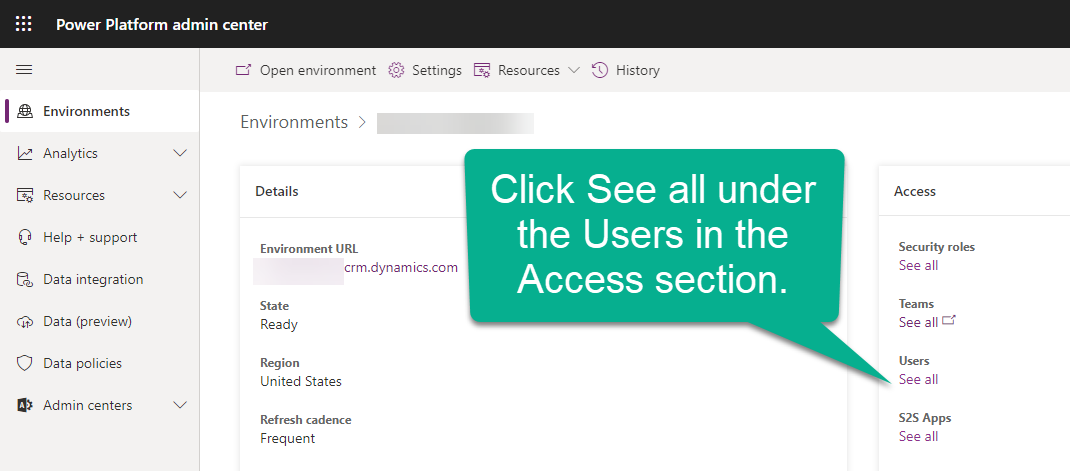
- Click on See all under the User heading the Action area.
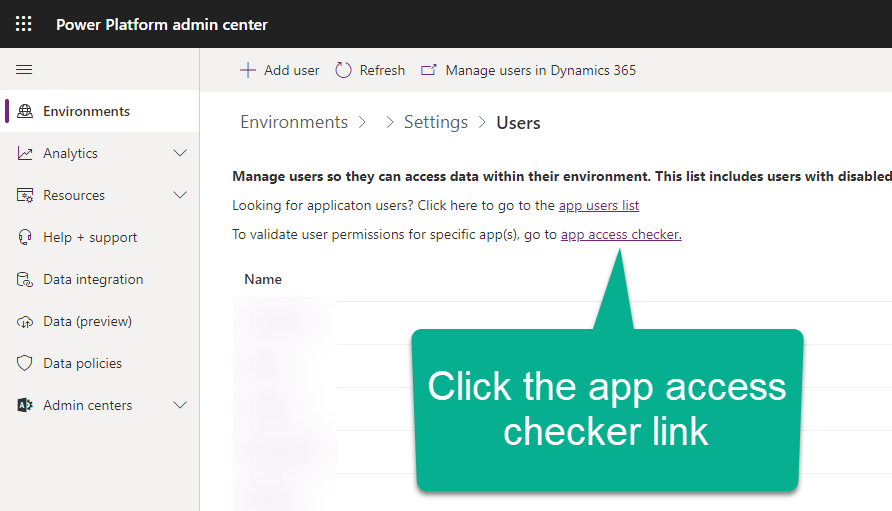
- Click the app access checker link located above the Users list.
WebAPI Call
The information returned to the page comes from a single WebAPI call. If you will to call it yourself and create your own page you can do so.
https://<Your Org>.crm.dynamics.com/api/data/v9.0/RetrieveUserAppDebugInfo(UserIdOrEmail%20='testuser2@rawonet.onmicrosoft.com')