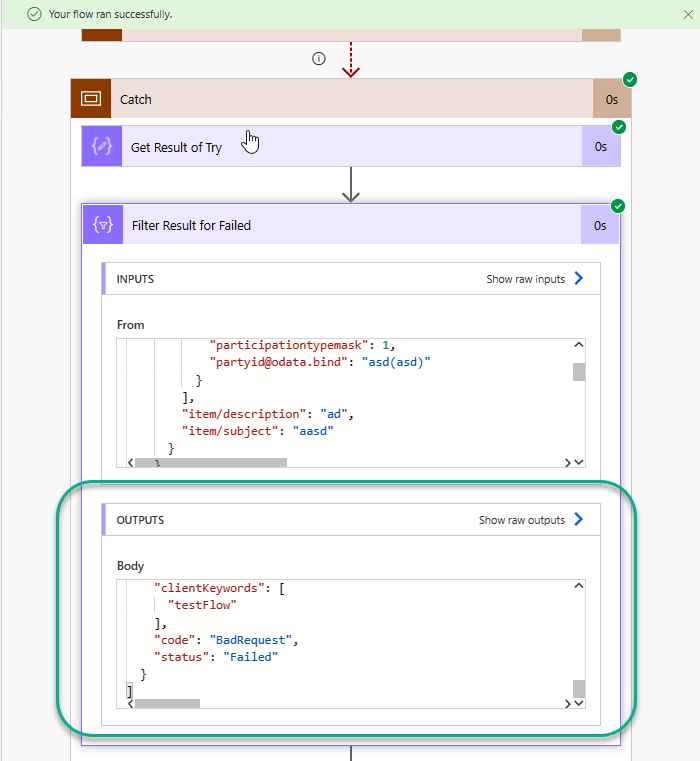
When utilizing scopes within Power Automate to create a try/catch/finally statement it can be useful to provide additional details about any errors that occurred within the try block. The example below shows how to get the results of a try block after it has failed and return that information.
To replicate this do the following:
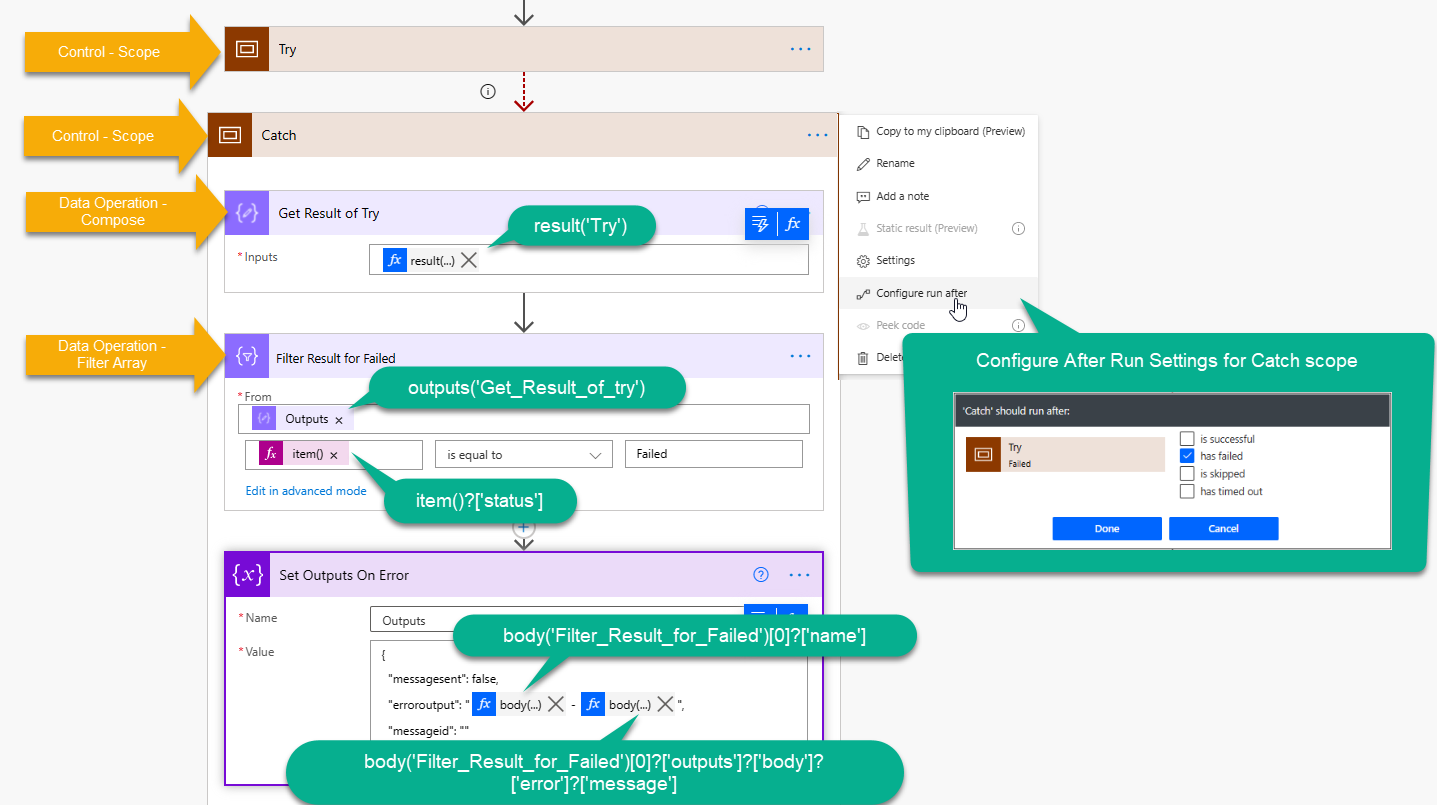
- Add a Control - Scope action called ‘Try’
- Add another Control - Scope action below Try called ‘Catch’
- Click the (…) on the Catch action and select the Configure after run settings. Then click the ‘has failed’ checkbox.
- Follow the screen shot below which will get the results array of the Try block then filter it down to the Failed result. You can then utilize the filtered result to return errors.
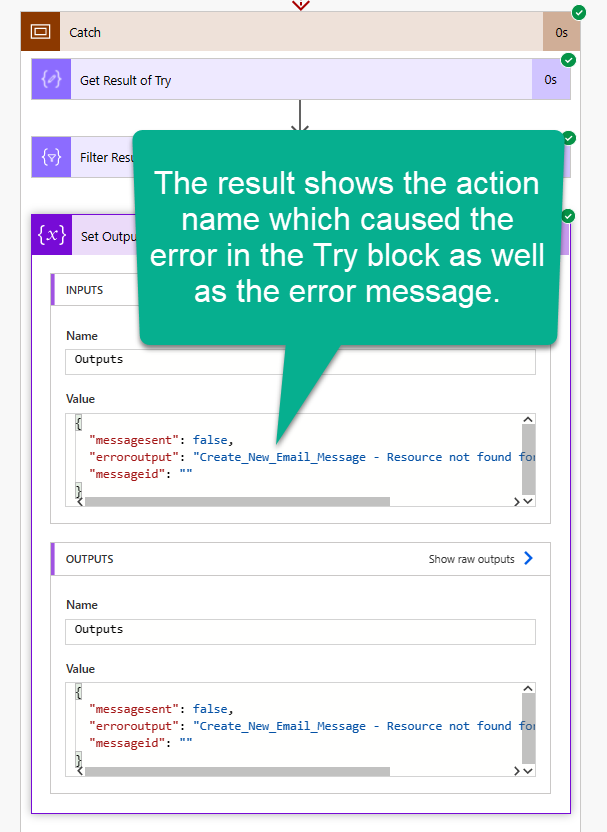
The iamge belows shows the output after a completed run. We can now see the Action name which failed as well as the error message. In this scenario I am using that information to populate a JSON object which will be used later for returning information back to a Power App.
If you would like to return additional information from the Failed result test the flow in a way which will force it to fail then look at the flow run history. Expand the Catch block and click on the Filter Result for Failed action. You can see the body of what is returned in the result and utilize any of that additional information in generating your error message.