Power Apps
Disable CRL Checking in IIS 8
When working on a system with no internet access it is important to ensure that CRL checking is disabled. If not disabled you will always receive a 403.13 error after entering you pin.
tag
When working on a system with no internet access it is important to ensure that CRL checking is disabled. If not disabled you will always receive a 403.13 error after entering you pin.
When debugging an app which connected to CRM using IFD connection I kept getting the following in the trace log.
Recently I had to replace an expired certificate on my ADFS 2.0 machine. I followed the instruction on the TechNet wiki found here.
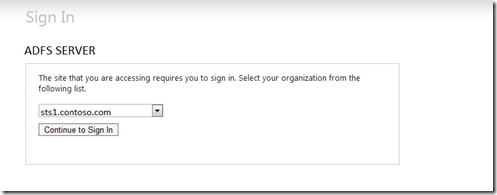
In situation where you have multiple Claims Providers the HomeRealDiscovery.aspx page may confuse users.
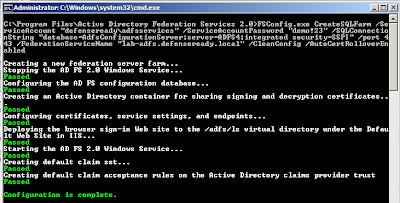
If you work in an environment where you have no write access to the ‘Program Data’ folder in AD you can still install ADFS 2.0 but you will need to use the command prompt.
ID4223: The SamlSecurityToken is rejected because the SamlAssertion.NotOnOrAfter condition is not satisfied. NotOnOrAfter: '02/28/2012 1:15:04 PM' Current time: '02/28/2012 2:18:35 PM'
Run CMD as Administrator- wevtutil sl "AD FS 2.0 Tracing/Debug" /l:5- Open Event Viewer.- To open Event Viewer, click Start, point to Programs, point to Administrative Tools, and then click Event…
When attempting to connect ADFS 2.0 and SharePoint 2007 most of the documentation assumes you are using the NetworkService account to run the application pools for the SharePoint content web…
The following is taken from the following KB article: <http://support.microsoft.com/kb/982813>. I have had to do this so many times though I found it easier to post it here :)
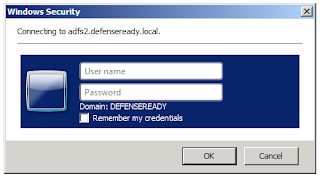
After installing ADFS 2.0 for SharePoint a Windows login prompt was shown when the SharePoint site forwarded to the ADFS server instead of the ADFS Forms Authentication login screen.
If you plan on using a SQL server 2005/2008 to host your ADFS 2.0 configuration database you must run the configuration using the command line.